
Decoding GSC's AI Mode Metrics: Why Fact-Verified Content Wins the Overview
GSC AI Mode metrics are impression-only. Google's generative AI performance reports, launched June 3, 2026, show impressions by page, country, device and date for AI Overviews and AI Mode, with no clicks, no CTR and no average position. Verified against Google Search Central's AI features docum...
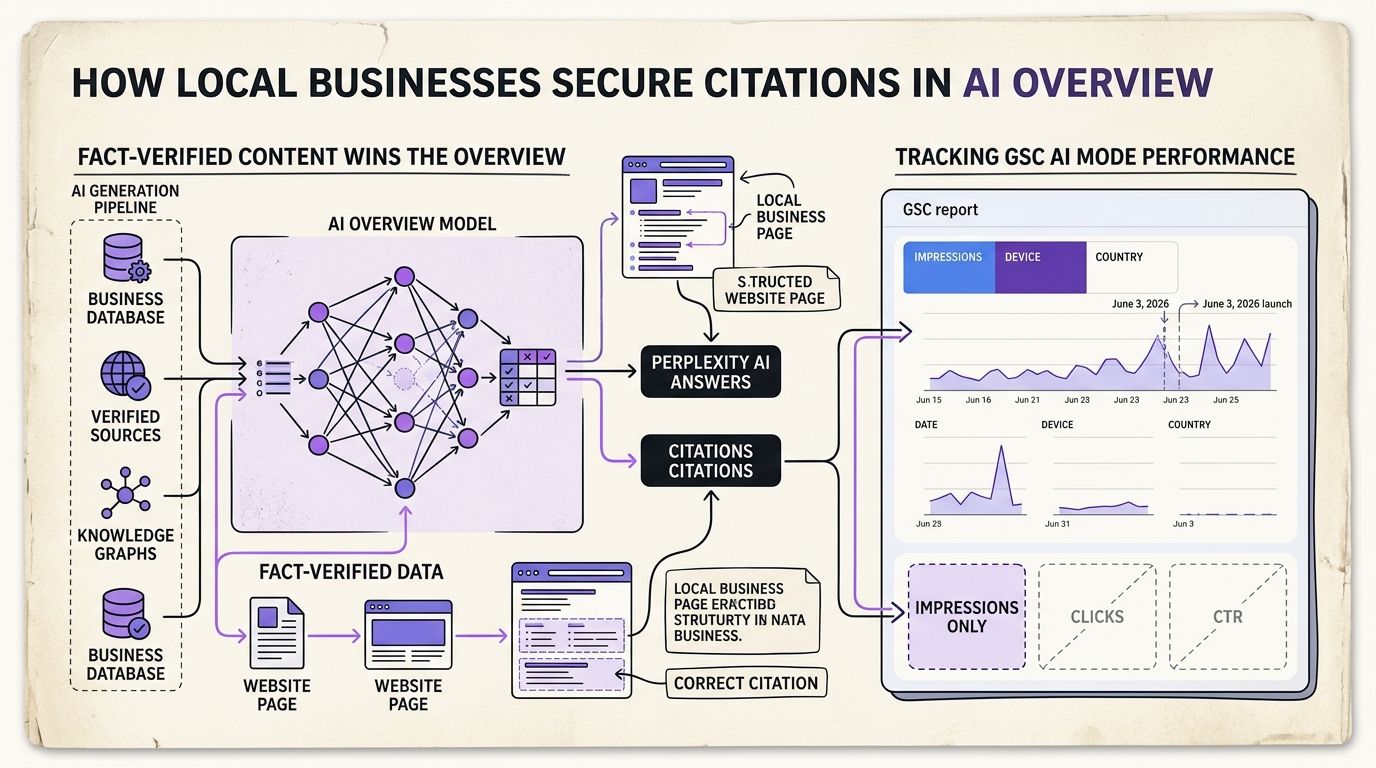
GSC AI Mode metrics are impression-only. Google's generative AI performance reports, launched June 3, 2026, show impressions by page, country, device and date for AI Overviews and AI Mode, with no clicks, no CTR and no average position.
Verified against Google Search Central's AI features documentation, last updated August 26, 2026. Google's updates page confirmed on September 8, 2026 that AI Mode now counts toward Search Console totals.
| What you want | Where it lives | What you actually get |
|---|---|---|
| AI Mode impressions | Generative AI performance report | Impressions, pages, countries, devices, dates |
| AI Mode clicks | Nowhere, as of September 2026 | Not reported separately |
| AI Overviews traffic | Performance report, "Web" search type | Folded into overall Search totals |
| Position inside an AI answer | Not available | No rank metric exists for AI features |
| citations | Not in Google Search Console | Manual prompt logging only |
Google Search Console costs $0 to track GSC AI Mode metrics: (1) open the generative AI report, (2) filter by page, (3) export impressions weekly. Takes 20 minutes.
Table of Contents
- What You Need Before Starting
- Step 1: Separate GSC AI Mode Metrics From Your Web Search Totals
- Step 2: Accept What the Report Does Not Say
- Step 3: Build a Local Query Ledger for AI Answers
- Step 4: Fact-Verify Every Claim Before the Approval Queue
- Step 5: Reconcile GSC AI Mode Metrics With GA4 and Third-Party Tools
- Step 6: Troubleshoot Missing or Delayed AI Data
- Step 7: Verify You Did It Right
- Frequently Asked Questions
- What to Do Monday
What You Need Before Starting
Five things. None of them cost money.
- A verified Google Search Console property with at least 28 days of history. Domain property beats URL prefix, because AI features can surface any subdomain.
- Access to the generative AI performance report. Google announced it on June 3, 2026 and rollout widened through August 2026, according to Search Engine Land reporting dated August 31, 2026.
- A spreadsheet or database for a query ledger. Google gives you page-level impressions. It does not give you the prompt.
- A list of your 20 highest-intent local queries. "Dentist near Kadriorg" style. Not "what is dentistry".
- A human who can approve or reject content. This is the part most teams skip and it's the part that decides whether your pages get cited.
GSC AI Mode metrics: the impression counts Google Search Console reports for pages that appeared inside AI Mode answers, available as a dedicated generative AI view and also folded into overall Search totals under the "Web" search type.
We run this exact process on adpilot.ee. We launched with zero inherited traffic, so every impression in the report is one we can trace to a specific published page. That's the only reason we can talk about the mechanism honestly.
Step 1: Separate GSC AI Mode Metrics From Your Web Search Totals
Open the Performance report first. Confirm your baseline before you touch anything generative.
Google's official documentation states that "sites appearing in AI features (such as AI Overviews and AI Mode) are included in the overall search traffic in Search Console," and that this traffic is reported under the "Web" search type (Google Search Central, documentation last updated August 26, 2026).
That single sentence has a consequence most operators miss. Your existing organic numbers already contain AI-driven impressions and clicks. You cannot subtract them inside the standard report. There's no Search Appearance toggle that isolates AI Mode clicks from blue-link clicks, because Google doesn't publish that split.
Then open the generative AI performance report. It's the separate view Google introduced to give, in its words, "dedicated views of your impressions within generative AI features on Search, such as AI Overviews and AI Mode."
Record four numbers for a fixed 28-day window:
- Total Web impressions from the Performance report
- Total Web clicks from the Performance report
- Total generative AI impressions from the new report
- Number of distinct pages appearing in the generative AI report
That fourth number is the one that matters most for a local business. It tells you how many of your URLs the machine considers answer-grade. If you publish 40 pages and 3 appear, your problem isn't volume.
Google's updates page noted on September 8, 2026 that "AI Mode is now counting towards totals in Search Console." So a jump in your Web impressions during late summer 2026 may reflect a counting change, not a demand change. Annotate the date in your spreadsheet. We did and it saved us from writing a celebratory build-in-public post about a rise we hadn't earned.
Step 2: Accept What the Report Does Not Say
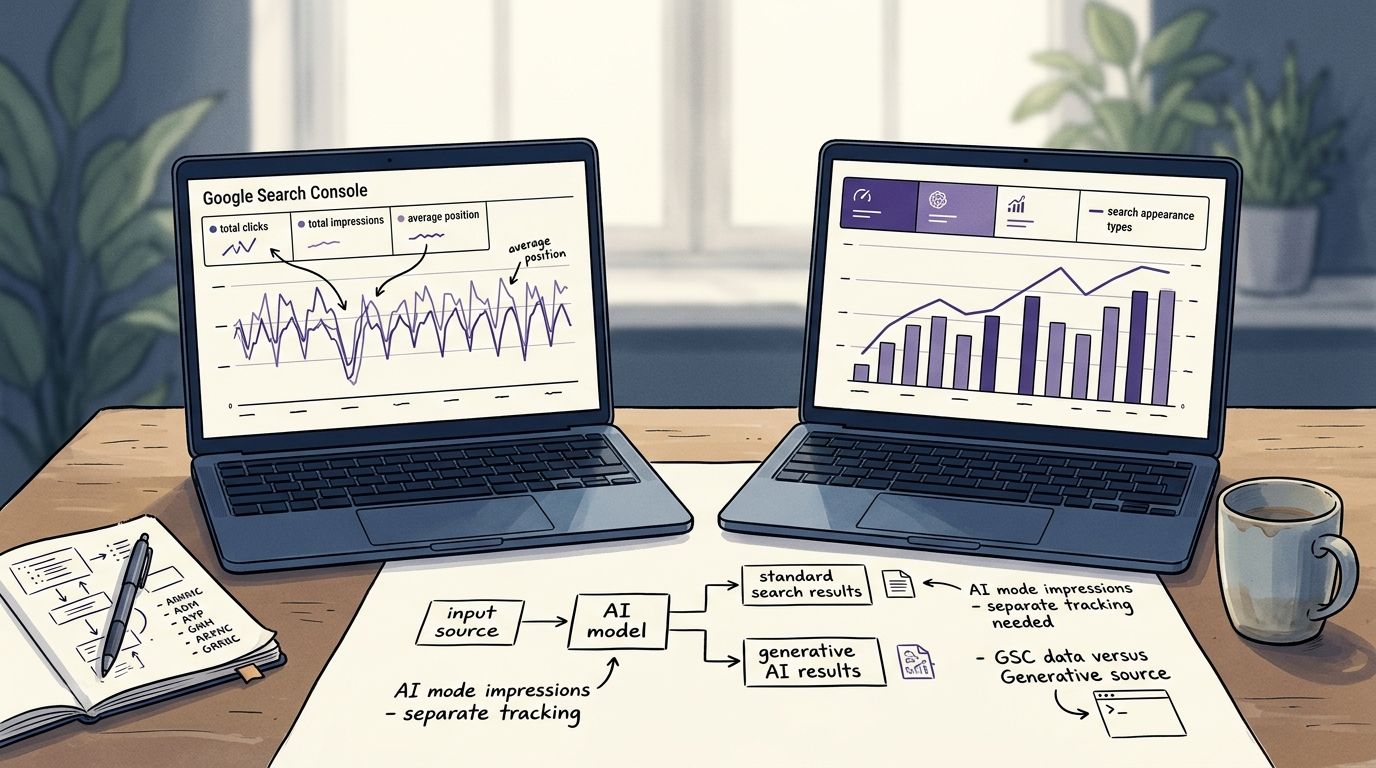
Most people believe the new report shows AI Mode clicks and CTR. The data shows otherwise. Coverage reviewed as of August 31, 2026 confirms the report exposes impressions, pages, countries, devices and dates. Four dimensions, one metric. No click data, no click-through rate, no average position.
Do not build a dashboard that divides AI impressions by site clicks and calls the result an AI CTR. That number is fiction. You'd be dividing a feature-specific impression count by a total that already includes the same feature's clicks.
Query fan-out: the behaviour where one user prompt triggers multiple underlying searches, so a single AI answer can generate impressions across several of your pages from queries the user never typed.
Fan-out is why page-level impressions can rise while your tracked keyword rankings sit still. Google's own description of the experience supports this: users can "ask a follow-up question right from an AI Overview and flow into a conversational back and forth with AI Mode." Multi-turn conversations don't map to a single query string. None of the sources we reviewed document per-turn attribution, so treat any tool claiming to measure conversation-level AI visibility as unverified.
Here's the honest limit on GSC AI Mode metrics. They tell you that a page was surfaced. They never tell you why. There's no ranking explanation, no citation-reason field, no confidence score. Anyone selling you a causal read of the report is guessing.
We were wrong about this in June 2026. We assumed the report would eventually expose clicks and planned a whole measurement lane around it. Three months later the metric set is unchanged. We rebuilt the lane around impressions plus manual prompt logging instead, which is slower and less satisfying and actually works.
One more unverified item worth flagging: a third-party publication reported AI Mode expanding into 6 new languages during 2026. We could not confirm that in official Google documentation. If you operate in the Baltics or across the EU, treat language rollout claims as rumour until Google's docs say so.
Step 3: Build a Local Query Ledger for AI Answers
Action: create a weekly log of the exact prompts a local customer would type and check who gets cited.
Google Search Console covers Google. It doesn't cover, ChatGPT or any other assistant. Local operators are noticing the gap. Practitioner guidance published for 2026 on getting cited by argues that citation depends on verifiable, crawlable sources rather than keyword density and the same argument is circulating in founder threads on X through August and September 2026, including posts from Alex Groberman on local AI answer visibility.
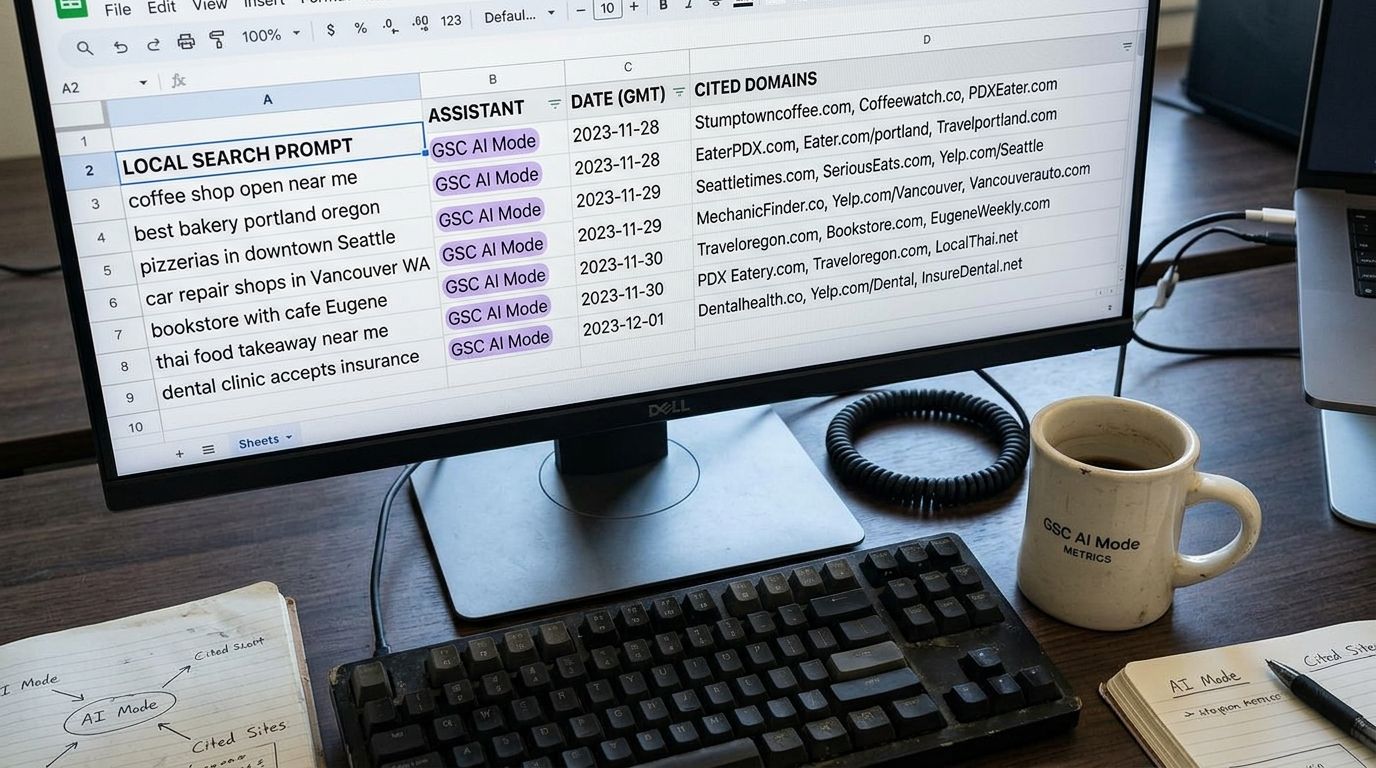
Build the ledger with six columns:
| Column | What goes in it | Why it matters |
|---|---|---|
| Prompt | Exact phrasing a customer uses | AI answers reward specificity |
| Assistant | , AI Mode, ChatGPT | Each cites differently |
| Date checked | Weekly cadence | Answers drift fast |
| Cited domains | Top 3 sources shown | Reveals the competitor set |
| Our page cited | Yes or no, plus URL | Ties back to GSC AI Mode metrics |
| Source type of winner | Directory, review site, own site | Tells you what to build |
Twenty prompts, checked weekly, takes about 20 minutes. That's the whole method.
The Citation Ledger Method: log 20 local prompts weekly across three assistants, record which domains get cited, then publish only pages that answer the prompts where a directory currently outranks you. It converts a report you can't control into a publishing queue you can.
Cross-reference the ledger against the generative AI report monthly. When a page starts collecting AI impressions in Google Search Console and shows up as a citation, you've found a format that travels. Copy the structure, not the topic.
The pattern we keep seeing in our own ledger: pages with a specific address, a specific price range, a specific date and a source link get cited. Pages with adjectives don't. Our long-form articles run around 2,500 words and pass 8 quality checks before publication and the checks that matter most for citation are the source-verification ones.
Step 4: Fact-Verify Every Claim Before the Approval Queue
Action: gate every draft behind a human approval step and reject anything with an unsourced number.
This is the part of our loop that we argue about publicly. Auto-publish is off by default in ADpilot. Not because the drafts are bad but because AI answer engines cite verifiable claims and verification is a decision a human should own.
The loop runs Detect, Draft, Score, Approve, Schedule, Publish, Measure, Refresh. The approval queue sits in the middle on purpose. Every piece is scored against 8 quality checks and the queue surfaces what failed and why. When an editor rejects a draft for a shaky statistic, that rejection becomes training signal for the next draft in the same voice.
Three rules we enforce in the queue:
- Every number carries a source and a date. "Google launched the report on June 3, 2026" passes. "Google recently launched a report" fails.
- Every claim about a competitor's features must be current. Outdated comparison claims are a legal problem, not just an accuracy one.
- Anything we can't verify gets hedged or cut. The 6-languages claim in Step 2 is hedged for exactly this reason.
Contrast that with the alternative. Generic AI content ships fast, cites nothing and produces pages that read like every other page on the same query. Those pages generate impressions in ordinary results and almost never appear in the generative AI report, because there's nothing in them an answer engine can safely quote.
Our own approval data is small and we won't dress it up. We're in private beta with founding brands. What we can say is that the content types clearing our queue most consistently are behind-the-scenes posts, typographic image posts, carousels and long-form guides. Those are the formats where a human editor can check a claim in under two minutes.
For a solo founder or a local operator, the approval queue is not overhead. It's the only thing standing between your brand and a published sentence that a customer can disprove. A content approval workflow that takes five minutes a day beats an autopilot that takes none and costs you trust.
Step 5: Reconcile GSC AI Mode Metrics With GA4 and Third-Party Tools
Action: stop expecting the numbers to match and assign each tool one job.
GA4 counts sessions. Google Search Console counts impressions and clicks. AI Mode produces answers that often satisfy the user without a click at all. Zero-click behaviour is the default state of a generative answer and Google describes AI Overviews as "a snapshot of key information about a topic or question with links so you can easily explore more on the web."
A snapshot with links. Some users take the link. Most don't. Your GA4 sessions will always undercount your AI visibility and no reconciliation method fixes that, because the missing events never happened.
| Data source | AI-specific metrics | Cost | Refresh lag | Best for |
|---|---|---|---|---|
| GSC generative AI report | Impressions only, 4 dimensions | $0 | 2 to 3 days typical | Confirming which pages enter AI answers |
| GSC Performance report, Web type | AI included in totals, not split | $0 | 1 to 2 days | Tracking overall search traffic and CTR |
| Google Search Console API / bulk export | Same fields, programmatic | $0 plus BigQuery storage | Daily batch | Multi-brand agencies tracking at scale |
| GA4 | Sessions from Google organic, no AI split | $0 | Near real time | Measuring what happens after the click |
| Third-party AI visibility trackers | Vendor-defined scores, prompt sampling | Paid, varies | Vendor-dependent | Monitoring assistants Google doesn't report |
| Manual prompt ledger | Citation presence, competitor set | Time only | Weekly | Local queries and |
Semrush, Ahrefs and SISTRIX all ship AI visibility features. Their methodologies are vendor-defined and none of them can see inside Google's reporting, so their numbers won't reconcile with GSC AI Mode metrics and shouldn't be expected to. Use them for prompt sampling breadth. Use Google Search Console for ground truth on your own pages.
For programmatic tracking, the Google Search Console API and the bulk data export to BigQuery are the only scalable route. Agencies running 20 or more brands should pull page-level rows daily and store them, because the interface only holds 16 months. If you lose the history, you lose the ability to prove a change worked.
Step 6: Troubleshoot Missing or Delayed AI Data
Action: work through these five causes in order before assuming the report is broken.
Cause 1: rollout timing. The reports were announced June 3, 2026 and were still rolling out more broadly as of late August 2026 according to third-party coverage. Some properties received the view later than others. Check Google's Search Central blog before filing a bug.
Cause 2: zero impressions is a real answer. If no page of yours has appeared in an AI feature, the report shows nothing. That's data, not an error. It usually means your pages answer nothing specifically enough to quote.
Cause 3: property type. URL-prefix properties miss subdomains. Local businesses with a booking subdomain often find half their AI impressions invisible for this reason.
Cause 4: processing lag. Search Console data is not real time. Compare like-for-like windows, ending at least three days back.
Cause 5: the counting change. Google clarified in its documentation on or before September 8, 2026 that AI Mode counts toward Search Console totals. If your Web impressions stepped up around that period without a matching rankings move, the definition changed, not your performance. Annotate it.
What you cannot troubleshoot: missing click data. It isn't delayed. It isn't hidden behind a filter. The generative AI report doesn't include clicks, CTR or position and no amount of digging produces them. Two independent write-ups of the rollout confirm the same metric set.
We flagged this in our own build-in-public notes and in our breakdown of what the generative AI report hides. Knowing the limit's worth more than a workaround that invents a number.
Step 7: Verify You Did It Right
Run this checklist 28 days after you start. If four of six pass, the process is working.
- Baseline recorded. You have Web impressions, Web clicks, generative AI impressions and distinct AI-cited page count for a fixed window, with the September 8, 2026 counting note annotated.
- Ledger populated. At least 20 local prompts checked across at least two assistants, four weeks running.
- Page overlap identified. You can name the pages that appear in both the generative AI report and your ledger. If the list is empty, your pages aren't quotable yet.
- Approval queue active. Every published piece passed human review. Zero unsourced statistics shipped.
- No fabricated ratios. Nobody on your team has built an "AI CTR" metric. There's no denominator for it.
- Direction of travel. Distinct pages in the generative AI report is rising month over month. That's the closest thing to a growth signal GSC AI Mode metrics currently offer.
Three expert positions worth holding in mind while you review, all from Google's own documentation and blog:
"Sites appearing in AI features (such as AI Overviews and AI Mode) are included in the overall search traffic in Search Console." (Google Search Central, AI features documentation, updated August 26, 2026)
"AI Mode is now counting towards totals in Search Console." (Google Search Central updates page, September 8, 2026)
"Ask a follow-up question right from an AI Overview and flow into a conversational back and forth with AI Mode." (Google Search Central blog, A new era for AI Search)
Read together, those three statements explain the whole measurement problem. AI traffic is inside your totals, it's counted and it comes from conversations you'll never see the transcript of.
Frequently Asked Questions
What is the 30% rule in AI?
There's no 30% rule defined in Google's Search Console or AI features documentation. The phrase circulates in community discussions as a rough heuristic, usually about how much of a workflow should stay human and it has no official standing. Ignore it when planning around GSC AI Mode metrics and use documented fields instead.
What metrics are used to measure AI performance?
For Google surfaces in 2026, the documented metrics are impressions, plus the dimensions of page, country, device and date. Clicks, CTR and average position are not reported for AI features. Outside Google, teams measure citation presence by logging prompts manually, because no assistant publishes a webmaster report equivalent.
What is a good AI visibility score?
No verified benchmark exists. The sources we reviewed publish no percentage targets, no impression-share figures and no CTR lifts for AI features, so any "good score" you see quoted is vendor-defined. The practical benchmark for GSC AI Mode metrics is internal: is the count of distinct pages appearing in the generative AI report growing month over month?
Does ChatGPT use more energy than a Google Search?
Published estimates vary widely and none appear in the Google documentation covered here, so we won't quote a figure. It's a fair question for procurement and sustainability reporting but it has no bearing on how you read your Search Console reports.
Can I see AI Mode clicks in Google Search Console?
No. As of September 2026, the generative AI report shows impressions, pages, countries, devices and dates. AI Mode clicks are included in your overall Web totals in the Performance report but are not broken out, so you can't isolate them.
Do citations show up in Google Search Console?
No. Google Search Console reports on Google surfaces only., ChatGPT and other assistants require manual prompt logging or a third-party tracker, which is why the ledger in Step 3 sits alongside your GSC data rather than inside it.
How often should a local business check AI visibility?
Weekly for the prompt ledger, monthly for the Search Console cross-reference. Answers change faster than rankings and a 20-prompt check takes about 20 minutes. Anything more frequent produces noise you can't act on.
Does publishing more content improve AI Mode impressions?
Not by itself. Pages get quoted when they contain specific, verifiable facts with sources. Volume without verification produces pages that rank in ordinary results and never enter an AI answer, which is the core argument for keeping approval in the loop.
What to Do Monday
Pull your 28-day baseline from Google Search Console, open the generative AI report and write down how many distinct pages appear. Start the 20-prompt ledger the same day and check it weekly against and AI Mode. Keep human approval on every draft, because GSC AI Mode metrics reward pages built on sourced, checkable facts and reveal nothing at all about pages built on adjectives. We publish our own numbers as we get them. Including the ones that don't flatter us, in our ongoing notes on AI Overviews reporting in Search Console.
More from the Journal
Want a machine that writes like this for your brand?
Join the waitlist