AI Overviews in Search Console: what the new generative AI report shows, and what it hides
AI Overview performance data now lives in two places in Google Search Console: a generative AI performance report launched in June 2026 that counts impressions for AI Overviews and AI Mode and the classic Web report, where AI Overview links stay blended into total clicks. No public Google surfac...
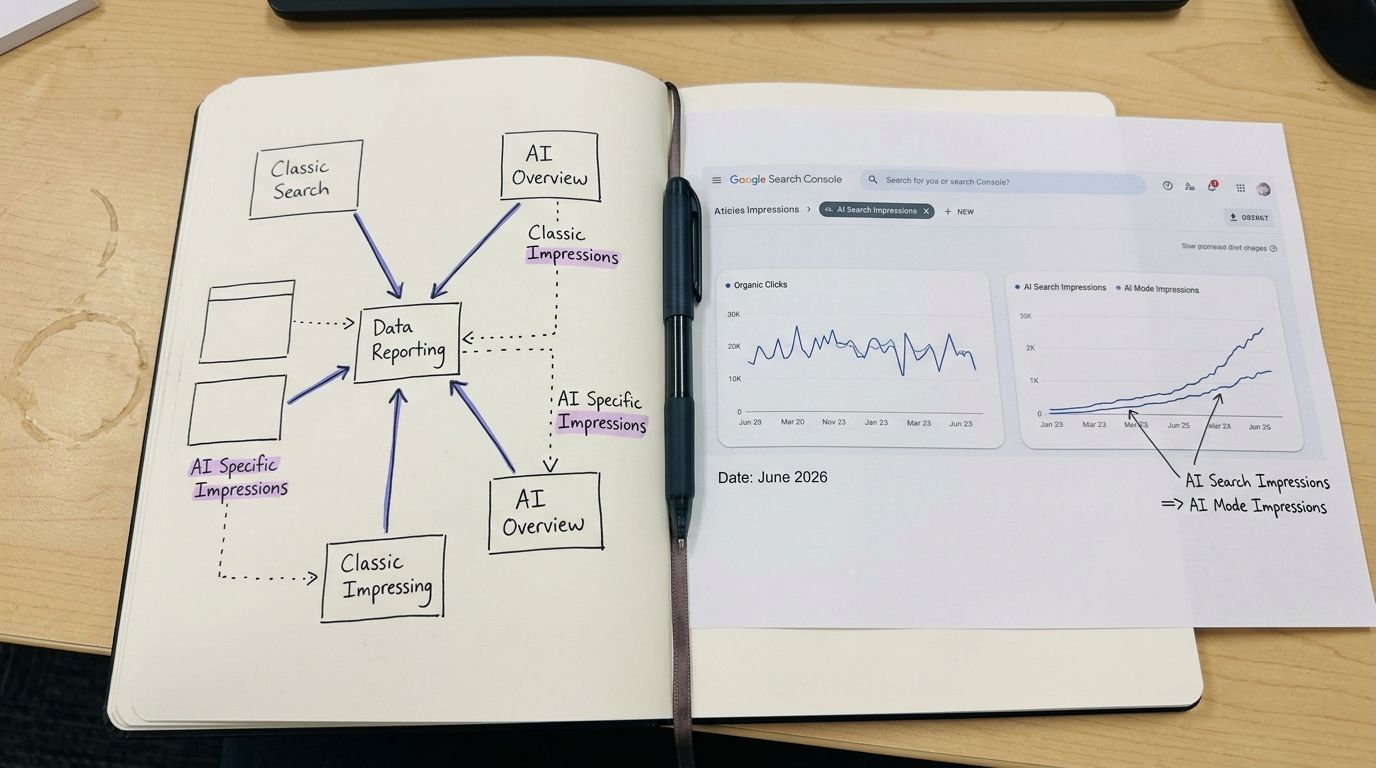
AI Overview performance data now lives in two places in Google Search Console: a generative AI performance report launched in June 2026 that counts impressions for AI Overviews and AI Mode and the classic Web report, where AI Overview links stay blended into total clicks. No public Google surface isolates AI Overview clicks yet.
| Question | Answer as of August 2026 | Source |
|---|---|---|
| Does GSC report AI Overviews separately? | Yes, for impressions, in the generative AI performance report launched June 2026 | Google Search Central |
| Are AI Overview clicks separated from organic clicks? | No. Links in AI Overviews are counted in the Web Search performance totals | Google Search Help |
| Is the report fully rolled out? | Still rolling out, access is uneven by account and region | Industry reporting, 2026 |
| What does it actually prove? | Exposure inside AI answers, not traffic from them | Otterly.ai |
AI Overview performance data costs $0 to access: (1) open Search Console, (2) find the generative AI report, (3) log impressions weekly. Takes 20 minutes.
Table of Contents
- What you need before starting
- Step 1: Split your visibility into two distinct metrics
- Step 2: Read the generative AI performance report without over-reading it
- Step 3: Reconcile AI Overview performance data across GSC, GA4 and rank trackers
- Step 4: Benchmark the volatility instead of chasing it
- Step 5: Segment AI Overview performance data by content format
- Step 6: Feed the new metrics back into the drafting loop
- Step 7: Verify you did it right
- Frequently Asked Questions
- What we'd do first if we were you
What you need before starting
Five things. None of them cost money.
- A verified Google Search Console property with at least 90 days of history. Less than that and month-to-month swings will read as trends when they're noise.
- Access to the generative AI performance report. Google announced it in June 2026 for generative AI features on Search, including AI Overviews and AI Mode. Rollout is still uneven, so it may not be in your account yet.
- GA4 or any session-level analytics, connected to the same domain.
- A spreadsheet with two tabs. One for impressions. One for clicks. Do not put them on the same tab. We'll explain why in Step 1.
- Sixty minutes, once. Then twenty minutes a week.
That's the whole setup. If your account doesn't show the generative AI section yet, keep the spreadsheet anyway and start logging Web totals. You'll want the pre-rollout baseline later.
We run this exact process on adpilot.ee, which had zero inherited traffic when we started. Our Search Console footprint is small enough that we can see every single impression move. That's a bad position for revenue and a very good position for learning how the reporting actually behaves. More of that in our build-in-public log.
Step 1: Split your visibility into two distinct metrics
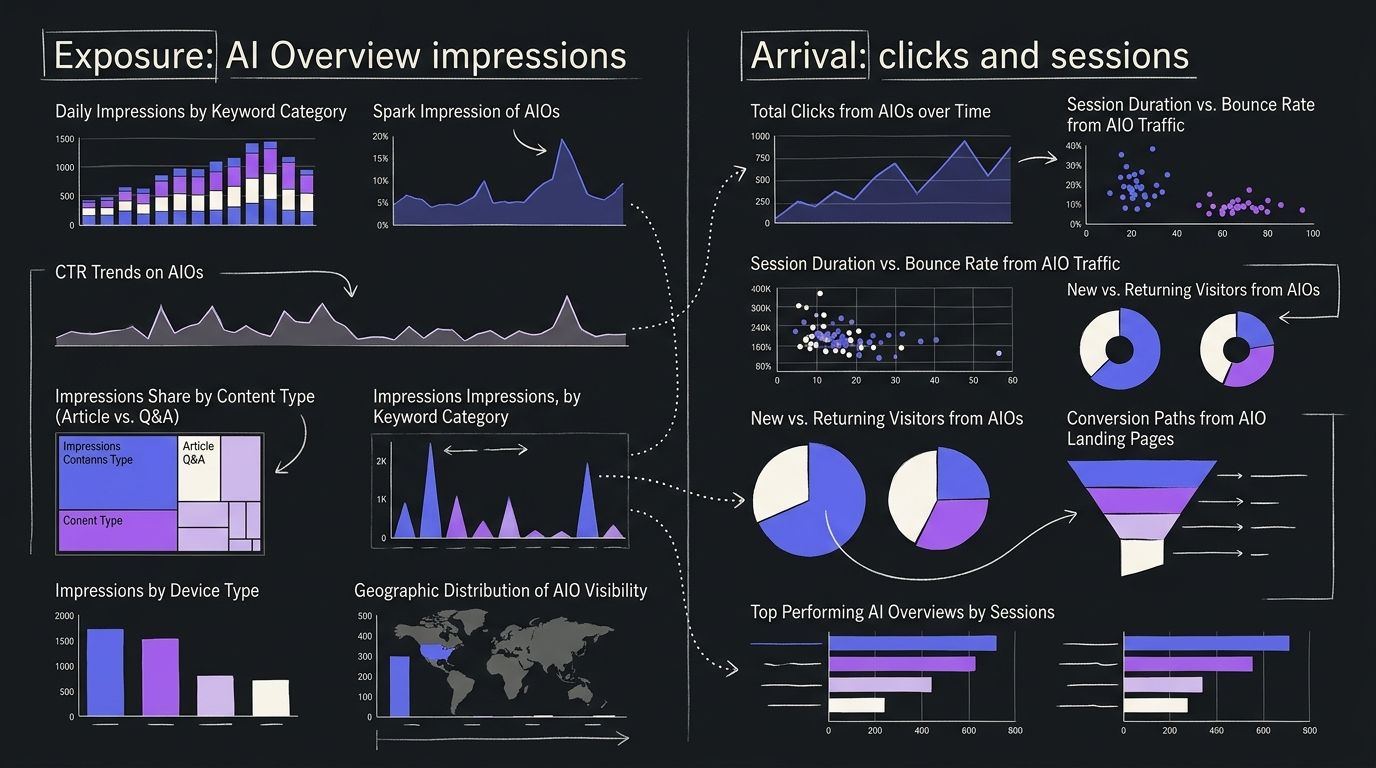
Search visibility split: the 2026 separation of search performance into exposure (appearing inside an AI-generated answer) and arrival (a human landing on your page), which Google now reports through different surfaces at different levels of detail.
Action first: make two columns and never average them together.
Column one is exposure. That's impressions and it now includes impressions from generative AI capabilities on Google Search. Google's own help documentation frames the generative AI performance report as impression-based, listing the generative AI capabilities it covers.
Column two is arrival. That's clicks and sessions. Here's the part most teams miss: Google states that links appearing in AI Overviews are counted in the total reported in the Performance report for Search results. So your AI Overview clicks are already in your Web numbers. They're just not labelled.
Two columns, two questions. Exposure answers "did the machine read us." Arrival answers "did a person come."
Averaging them produces a metric that means nothing. A page can gain 4,000 AI-feature impressions and lose 40 clicks in the same week and a blended "visibility score" will call that flat. It isn't flat. It's a structural change in how your content gets consumed.
We call the discipline of keeping them apart the Impression Ledger Method: log exposure and arrival in separate ledgers, reconcile them monthly and never let a dashboard collapse them into one number. The method has one rule and one output. The rule is that impressions and clicks never share a chart axis. The output is a ratio you track over time rather than a score you optimise.
In August 2026, that ratio is the only honest way to describe generative engine optimization performance. Everything else is guessing with a nicer chart.
Step 2: Read the generative AI performance report without over-reading it
Generative AI performance report: a Search Console report introduced in June 2026 that counts impressions for generative AI capabilities on Google Search, including AI Overviews and AI Mode.
Action: open Search Console, find the generative AI or AI features section, set the date range to the maximum available and export the impressions. That's it. Do not build a CTR column. The report doesn't reliably give you one.
Most people believe Search Console now separates AI Overview clicks from organic clicks. The data shows otherwise. Google's documentation says links shown in AI Overviews are counted inside the standard Search performance totals and multiple 2026 analyses confirm there's still no direct way to isolate those clicks. The new report adds impression visibility, not click attribution. Do NOT build a client dashboard promising "AI Overview traffic" in 2026. You cannot source that number.
What the report genuinely gives you, per Google's June 2026 announcement and help pages:
- Impressions for AI Overviews.
- Impressions for AI Mode.
- Confirmation that a generative surface pulled from your site at all.
What sources consistently say it does not fully expose: clicks, CTR and query-level breakdowns. Three separate 2026 practitioner write-ups say the same thing in different words. Superframeworks and The Ad Firm both landed on "useful, incomplete." Marie Haynes reached the same read on the AI Overviews and AI Mode information now appearing in GSC.
Google's own product page describes AI Overviews as a snapshot of key information with links so people can explore more on the web. That's the design intent. Whether the link gets clicked is exactly the thing the report won't tell you.
Honest limit from our side: we cannot verify a global rollout percentage for the report. Nobody has published one we'd stand behind. If your property doesn't show the section, that's normal in August 2026, not a penalty.
One more distinction almost nobody covers. AI Overviews, AI Mode and the older Search Generative Experience are not the same surface. SGE was the labs-era experiment. AI Overviews is the inline answer block. AI Mode is the conversational surface. Google's June 2026 materials group AI Overviews and AI Mode together as Search AI features. Treat their impression lines as separate series in your ledger, because the intent behind each is different.
Step 3: Reconcile AI Overview performance data across GSC, GA4 and rank trackers
Action: run the same seven-day window through three tools on the same day, then write down where the numbers disagree. The disagreement is the insight.
Nobody publishes this comparison, so here's ours.
| Data source | What it actually measures | Click data on AI Overviews | Query-level detail | Refresh lag | Best for |
|---|---|---|---|---|---|
| GSC generative AI performance report | Impressions in AI Overviews and AI Mode (June 2026 launch) | No, impression-focused | Not fully exposed | ~2-3 days, per standard GSC behaviour | Confirming you were used as a source |
| GSC Web performance report | All Search clicks and impressions, with AI Overview links included in the totals | Blended, not isolable | Full query list, sampled | ~2-3 days | Total demand and position tracking |
| GA4 | Sessions that actually landed, by channel | No AI-specific channel exists | Landing page, not query | Near real time | Measuring arrival, not exposure |
| Third-party AI visibility trackers | Whether your domain is cited in sampled AI answers | Simulated, not real users | Prompt-level, self-chosen | Daily to weekly | Competitive citation share |
The conflicts are predictable once you know where they come from. GSC counts an impression when your link renders inside the AI answer. GA4 counts a session only when a human arrives. A third-party tracker counts a citation when its own prompt run returns your domain, which is a sample of a machine's behaviour, not a sample of your audience.
So three tools will give you three different truths and all three can be correct. In our experience the fastest way to lose a client is to present the tracker number as traffic. It isn't traffic. It's evidence of eligibility.
Our reconciliation rule: GSC generative impressions define exposure, GA4 defines arrival, trackers define competitive position. Nothing crosses lanes. If exposure rises and arrival falls, that's a content-format problem, not a ranking problem and Step 5 is where you fix it. We wired this rule into our own reporting because we needed a content engine that measures the right thing before it redrafts anything.
Cost note for small teams: this reconciliation runs on free tools. GSC is free. GA4 is free. The only paid layer is a citation tracker and at typical 2026 entry pricing that's the one line item you can skip for the first 90 days.
Step 4: Benchmark the volatility instead of chasing it
AI Overview volatility: month-to-month swings in AI-feature impressions caused by rollout changes, feature redesigns and model updates rather than by changes to your page.
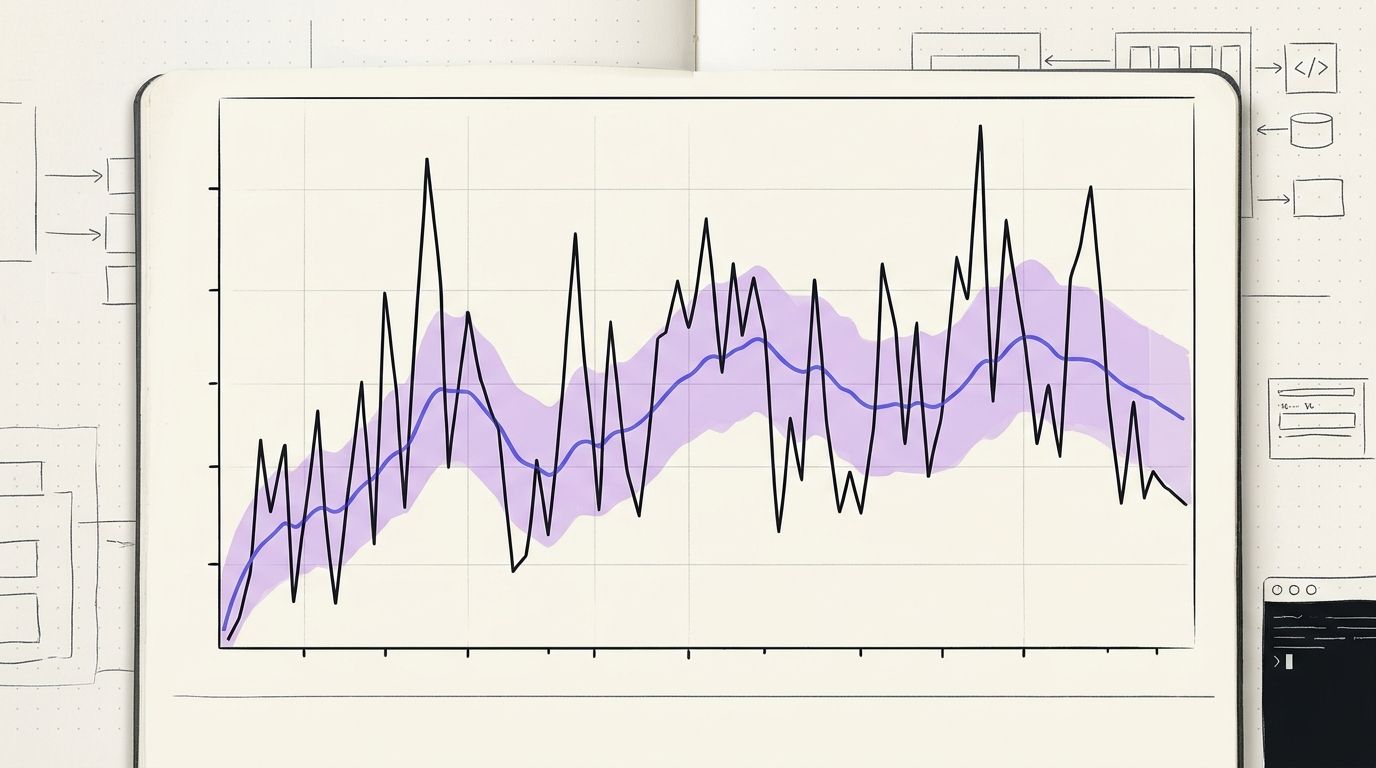
Action: calculate a 4-week rolling median of your AI-feature impressions, not a week-over-week delta. Then set an alert threshold at plus or minus 30% of that median and ignore everything inside the band.
The swings are real and they're mostly not about you. August 2026 industry recaps document a busy stretch: a spam update, generative UI experiments in AI Overviews and shifting source mixes inside AI answers. Search Engine Journal's SEO pulse covered several of these moving at once. When the surface itself is being rebuilt, your impression line moves without a single edit to your content.
Three drivers we can support from 2026 reporting:
- Rollout unevenness. Access to the generative AI report is still spreading, so your own dataset can change shape simply because more of it became visible.
- Surface redesign. Generative UI changes alter how many links a single answer shows. Fewer link slots means fewer impressions across the whole web, independent of quality.
- Source mix shifts. Industry commentary in August 2026 noted changes in which domain types get pulled into AI answers. That's a compositional change, not a quality signal about your page.
We were wrong about this ourselves. In our first month of logging, we treated a sharp impression drop as a content failure and redrafted three articles. The line recovered before the redrafts published. The redrafts didn't cause it. Now we hold a 4-week floor before touching anything and we write the reason for every redraft into the log so we can audit our own overreaction later.
Rolling medians are boring. Boring is the point. A metric you can't compare across two months isn't a metric, it's a mood.
Step 5: Segment AI Overview performance data by content format
Action: tag every URL in your export with one of five format labels, then pivot impressions by label. Five minutes of tagging buys you the only segmentation Google won't give you.
Use these labels: how-to, listicle, definition or glossary, comparison, product or commercial. Add a second tag for whether the page holds a table.
Why this matters more than page-level analysis: AI answers are assembled, not ranked. Google describes AI Overviews as a snapshot of key information with links out to the web. A snapshot needs extractable components. Pages built as one long argument have fewer extractable components than pages built as labelled blocks, even when both are excellent.
What we tag on our own site and what we watch:
- Definition blocks. One term, one sentence, under 45 words, placed directly under the heading that introduces it.
- Numbered procedures. Steps written as action-first imperatives, not narrative.
- Comparison tables. Rows that survive being lifted out of the page with no surrounding context.
- Dated claims. Every statistic carries a source and a year. Undated numbers are unciteable.
Honest limit: we can't publish a verified format-by-format citation rate. No source in our research set provides one and we won't invent a percentage to make the section look stronger. What we can say is that our drafting standard already assumes assembly over ranking, because every ADpilot article ships with definition blocks, at least one comparison table and a step sequence before it passes the eight quality checks.
Also tag SERP feature co-occurrence when you can see it. A query that fires an AI Overview plus a video carousel plus a People Also Ask block leaves very little room below. Exposure there is worth less arrival than exposure on a query where the AI Overview is the only feature. That's a judgement call, not a Google metric, so record it as a note rather than a number.
Agencies running many brands: do this tagging once per client and store it. The tags outlive the reporting UI and Google's reporting UI is changing quarterly right now. Teams handling multiple properties can see how we structure it under multi-brand workflows.
Step 6: Feed the new metrics back into the drafting loop
Action: connect the exposure ledger to the thing that decides what gets written next. Reporting that doesn't change a draft is a screensaver.
Here's how our loop actually handles it. ADpilot runs eight stages: Detect, Draft, Score, Approve, Schedule, Publish, Measure, Refresh. The June 2026 reporting change touched two of them.
Measure now reads two lines instead of one. Ranking position from Search Console, as before. Plus AI-feature impressions where the generative report is available. We store them separately, per the Impression Ledger Method, because merging them would hide the exact divergence we care about.
Refresh got a new trigger condition. Previously we redrafted on ranking slippage. Now a page also enters the redraft queue when exposure holds steady and arrival falls for four consecutive weeks. That pattern means the answer is being consumed inside the AI surface and the click isn't following. The fix is rarely "write more." Usually it's a sharper opening claim, a table the AI answer can't fully reproduce or a specific number that only exists on our page.
Draft changed too, quietly. Every long-form piece we ship, around 2,500 words, now leads with an atomic answer sized for extraction and carries at least one definition block per new term. That's not a growth hack. It's just writing for the surface that's reading you.
What we didn't change: approval. Nothing publishes without a human clicking approve. Reporting shifts do not get to auto-trigger a rewrite of your site. Approval-first is the whole argument behind how the machine works and a volatile metric is exactly the wrong thing to hand unsupervised automation.
Distribution matters here too. Exposure inside an AI answer is one channel. The 18 destinations we publish to, including a brand's own blog, are the channels you own. When Google's link slots shrink, owned distribution is what holds the line. If you want to see this run on a live account, the waitlist is open.
Step 7: Verify you did it right
Run these seven checks. If any fail, go back to the step named.
- Two ledgers exist. Impressions and clicks live on separate tabs with separate charts. If they share an axis, redo Step 1.
- No AI Overview CTR column anywhere. You cannot compute it from public data in 2026. If a dashboard shows one, it's inferred. Delete it or label it as an estimate. See Step 2.
- Three-tool reconciliation logged. One dated row showing GSC generative impressions, GSC Web clicks and GA4 sessions for the same seven days, with the gaps written out in plain words. Step 3.
- Rolling median in place. Your alerting fires on 4-week median deviation, not week-over-week change. Step 4.
- Every URL carries a format tag. Five labels, plus a table yes or no flag. Step 5.
- At least one redraft trigger is defined in writing. Ours: flat exposure plus falling arrival across four weeks. Yours can differ. It just has to exist before you need it. Step 6.
- A human approves every change. Reporting informs, people decide.
Baseline you should now be able to state out loud: "Our AI Overview performance data shows X impressions across AI Overviews and AI Mode last month, our Web clicks were Y and we cannot attribute a click split because Google counts AI Overview links inside the Web totals." That sentence is more defensible than any AI visibility score on the market right now.
If you can't say it yet because the generative report hasn't reached your property, log the Web baseline weekly and wait. Rollout in 2026 has been uneven and having clean pre-rollout data makes the first month of AI-feature data far more readable. Our own weekly build log records exactly that gap on adpilot.ee.
Frequently Asked Questions
Does Google Search Console separate AI Overview clicks from organic clicks?
No. Google's documentation states that links appearing in AI Overviews are counted in the total reported in the Performance report for Search results. The generative AI performance report launched in June 2026 adds impression visibility for AI Overviews and AI Mode but AI Overview performance data does not include an isolated click figure.
What is the generative AI performance report in Search Console?
It's a Search Console report Google announced in June 2026 covering generative AI capabilities on Google Search, including AI Overviews and AI Mode. Google's help page describes it as including impressions for those capabilities. Practitioner analyses through 2026 consistently note it's impression-focused, without full click, CTR or query-level detail.
Why does my AI Overview performance data change so much month to month?
Three documented reasons. Report access is still rolling out unevenly, so your visible dataset can change size. Generative UI experiments alter how many links each answer shows. And source composition inside AI answers shifted during 2026, as covered in August 2026 industry recaps. Use a 4-week rolling median rather than week-over-week comparisons.
Are AI Overviews, AI Mode and SGE the same thing?
No. Search Generative Experience was the earlier experimental version. AI Overviews is the inline answer block. AI Mode is the conversational surface. Google's June 2026 materials group AI Overviews and AI Mode as Search AI features and Search Console reports impressions for both, so track them as separate series.
Can GA4 show me traffic from AI Overviews?
Not directly. GA4 has no AI Overview channel, because those clicks arrive as ordinary Google organic sessions. Use GA4 for arrival, Search Console for exposure and reconcile the two manually. Any tool claiming a clean AI Overview session count in 2026 is estimating.
How do I rank in AI Overviews?
There's no separate ranking system to game. Google describes AI Overviews as a snapshot with links out to the web, which means answers get assembled from extractable components. Write definition blocks, numbered procedures, dated statistics with named sources and comparison tables. Then track exposure to see whether the assembly picked you up.
Is AI Overview traffic invisible in Search Console?
No and this is the most common misread. Google says sites appearing in AI features are included in overall Search traffic reporting. The traffic is there, just unlabelled inside your Web totals. The gap is attribution, not visibility.
Do I need a paid tool to track AI search visibility?
Not to start. Search Console and GA4 cost $0 and cover exposure and arrival. Paid citation trackers add competitive context by sampling AI answers for your domain, which is useful once you have 90 days of your own baseline. Sequence matters more than spend.
What we'd do first if we were you
Open Search Console today and check whether the generative AI section exists on your property. If it does, export the impressions and start the two-ledger spreadsheet described in Step 1. If it doesn't, log your Web baseline weekly so the first month of AI Overview performance data has something to sit against. The single most valuable habit in August 2026 is refusing to blend exposure with arrival, because Google itself doesn't separate the clicks and no dashboard can invent that number honestly. We run this loop on our own site every week, we publish what moved and what we got wrong and you can follow it in the build log or join the private beta through the waitlist.
More from the Journal
Want a machine that writes like this for your brand?
Sign up