
Publish AI SEO articles to WordPress after you approve them
ADpilot writes SEO articles for your brand and, once you approve one, publishes it to your WordPress site through the WordPress REST API. You connect with your site address, your username and an application password, never your login password. Each article goes out with its featured image, categories, tags, meta description and structured data, as a draft or published, as you choose.
Connect
How do I connect WordPress?
- In WordPress admin open Users, then Profile, and scroll to Application Passwords.
- Name it ADpilot and add it. Copy the password; it is shown once.
- In ADpilot open Connections, choose WordPress, and enter your site address, username and the application password.
- Choose whether articles arrive as drafts or are published straight away, then Test connection and Save.
ADpilot checks the details against your site before saving and stores the password encrypted. The REST API has to be reachable; some security plugins block it. Revoke the application password in WordPress to stop ADpilot publishing.
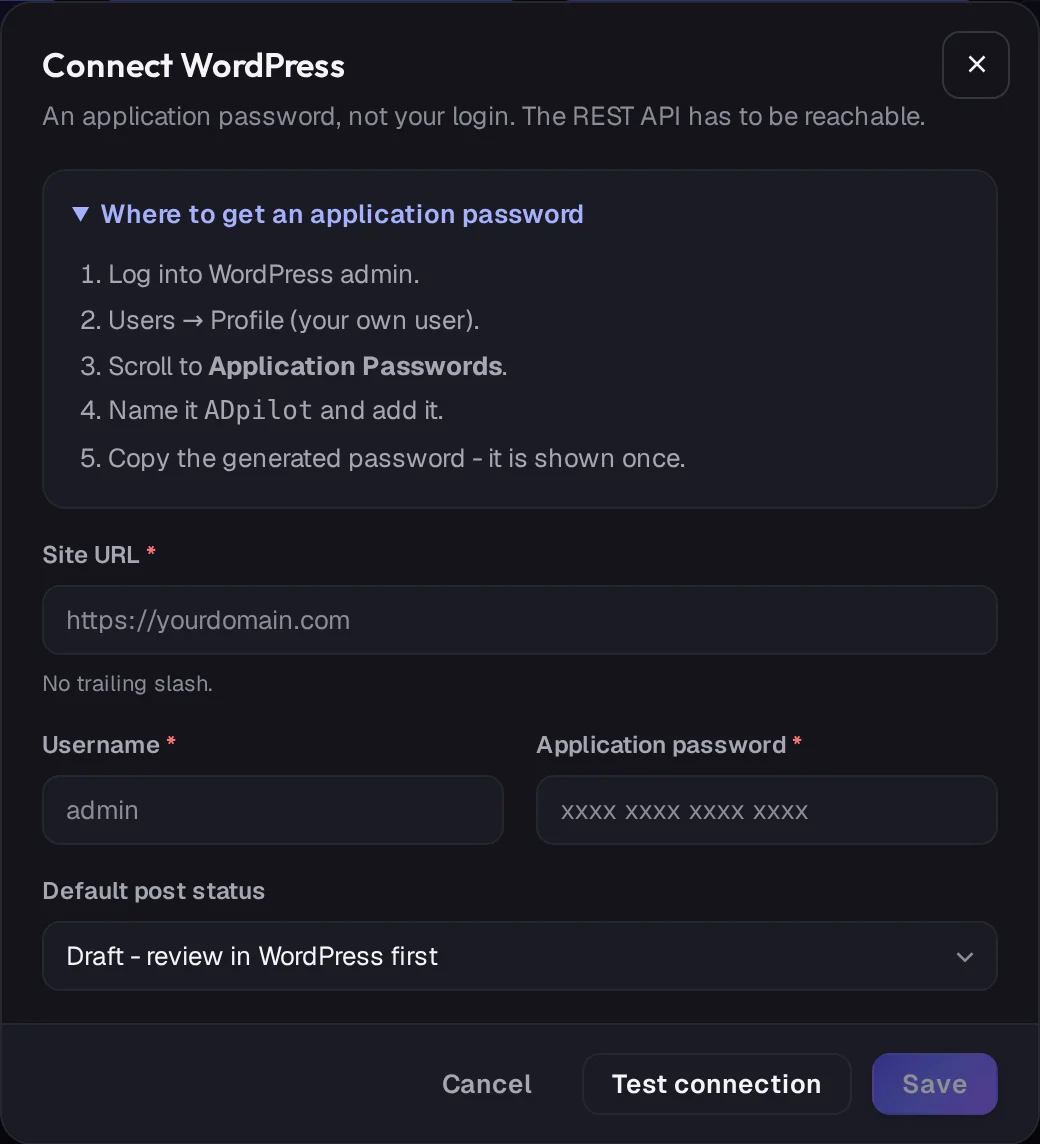
Real ADpilot screens, demo brand
What goes out
What does ADpilot post to WordPress?
- 01
Article
Title, body, URL slug and excerpt, with the featured image uploaded to your media library.
- 02
SEO fields
Categories and tags, the meta description and focus keyword for Yoast SEO or Rank Math, and structured data in the article.
- 03
Draft or live
Articles arrive as drafts for a last look in WordPress, or go live at once. Nothing is sent until you approve it in ADpilot.
What it does not do yet
- Pages (articles are posts)
- Custom post types
- Sites where the REST API is switched off
Questions
WordPress questions.
Does ADpilot need my WordPress login?
No. It uses an application password you create for ADpilot, which you can revoke in WordPress at any time.
Will articles go live without me?
Only if you choose "Publish immediately" when you connect, and only after you approve the article in ADpilot. Choose "Draft" to review each one in WordPress first.
My site is not on WordPress. Can ADpilot still publish?
Yes. Connect a blog webhook instead and ADpilot sends each approved article as JSON to your site, with an optional signature.

Your first drafts are an hour away.
Set up a brand from your website in a few minutes. Start autopilot and the first drafts usually wait in your queue within the hour. You approve every one.
From €79/mo - 7-day free trial of Scale, no card