

Integration · Blog webhook
Publish AI SEO articles to any site with a webhook
ADpilot sends each approved SEO article as JSON to a URL on your site, so any CMS or custom site can publish it, not just WordPress. The request carries a bearer token you choose, and with a signing secret every payload is signed with HMAC-SHA256 so your site can check it came from ADpilot. Directus is supported as a ready-made receiver.
Connect
How do I connect Blog webhook?
- 01
Build or pick a receiver: an endpoint on your site that accepts a POST with the ADpilot v1 JSON and answers 2xx. For Directus, use your collection's /items/ URL.
- 02
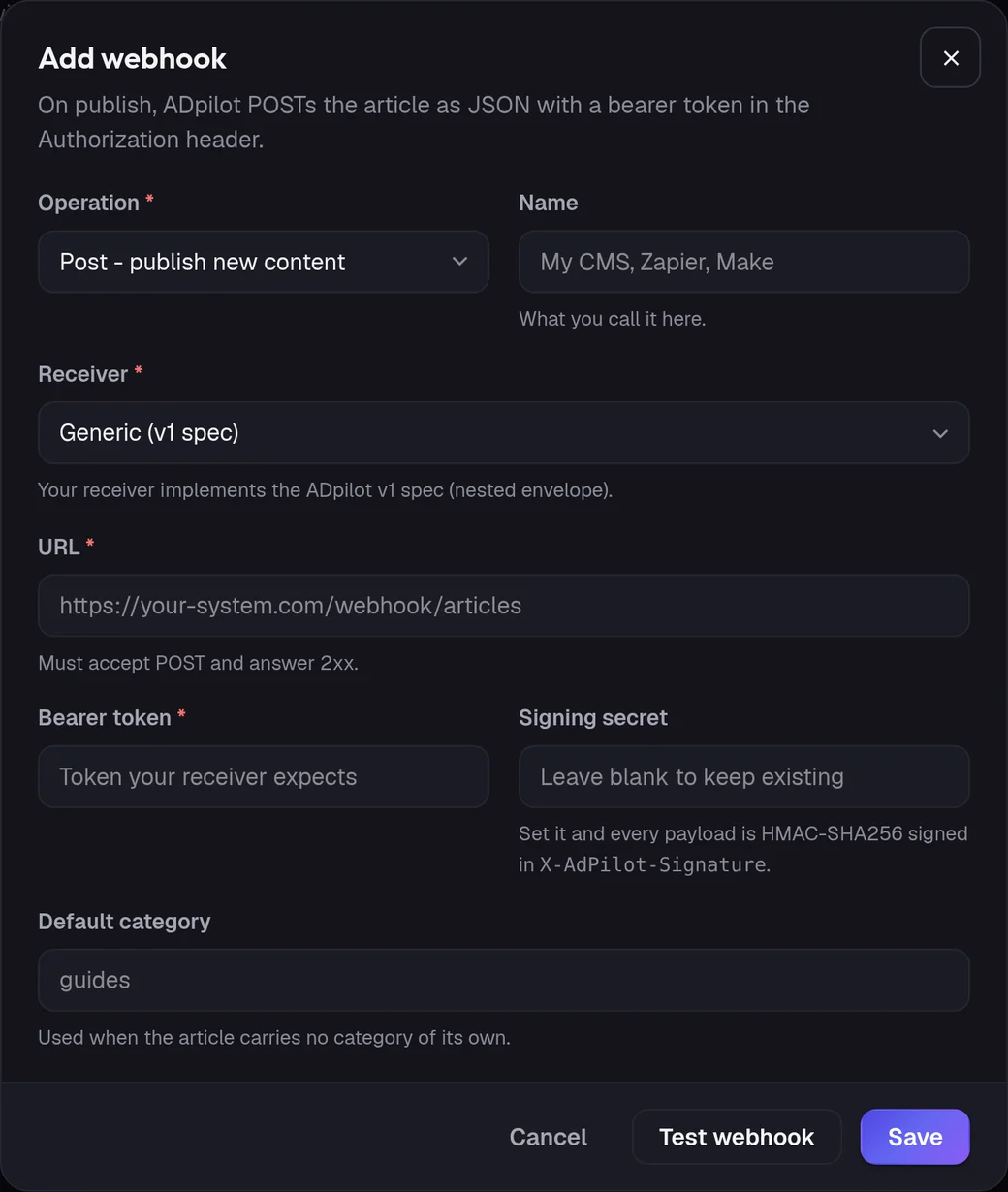
In ADpilot open Connections and choose Add webhook.
- 03
Set Operation to Post, pick the receiver (Generic v1 or Directus), and enter the URL and the bearer token your receiver expects. Add a signing secret to have every payload signed.
- 04
Press Test webhook to send a test article as a draft, then Save.
Owners and admins can add webhooks; contributors cannot. The token and signing secret are stored encrypted. ADpilot does not follow redirects and gives a slow receiver three tries before the publish is retried later.
What goes out
What ADpilot posts to Blog webhook.
Title, slug, excerpt, the article as HTML, language, read time and word count, with the featured image.
Meta title, meta description, focus keyword, categories and tags, internal links and the article's structured data, plus an AI disclosure block.
An Edit webhook updates a published article in place when it is rewritten. When the brand has an IndexNow key, the new URL is sent to IndexNow after publishing so Bing hears about it.
Limits
What it does not do yet.
- Social posts (they go to the social platforms)
- Hosting your blog for you
- Following redirects from your receiver URL
Questions
Blog webhook questions.
How does my site know a request came from ADpilot?
Every request carries the bearer token you set. Add a signing secret and the body is also signed with HMAC-SHA256 in the X-AdPilot-Signature header, so your site can verify it.
My site runs on WordPress. Should I use this?
Use the WordPress connection instead: it publishes through the WordPress REST API with an application password and fills Yoast or Rank Math fields. The webhook is for every other site.
Can I test it without publishing a real article?
Yes. Test webhook sends a test article marked as a draft, so you can check your receiver before you save the connection.