

Integration · X
Schedule X posts with AI, after you approve them
ADpilot writes posts for X (formerly Twitter) in your brand's voice, holds them for your approval and publishes them on schedule. You connect by signing in with X, so ADpilot never sees your password. Each post fits in 280 characters, with one image and its alt text or as text only, plus an optional first reply.
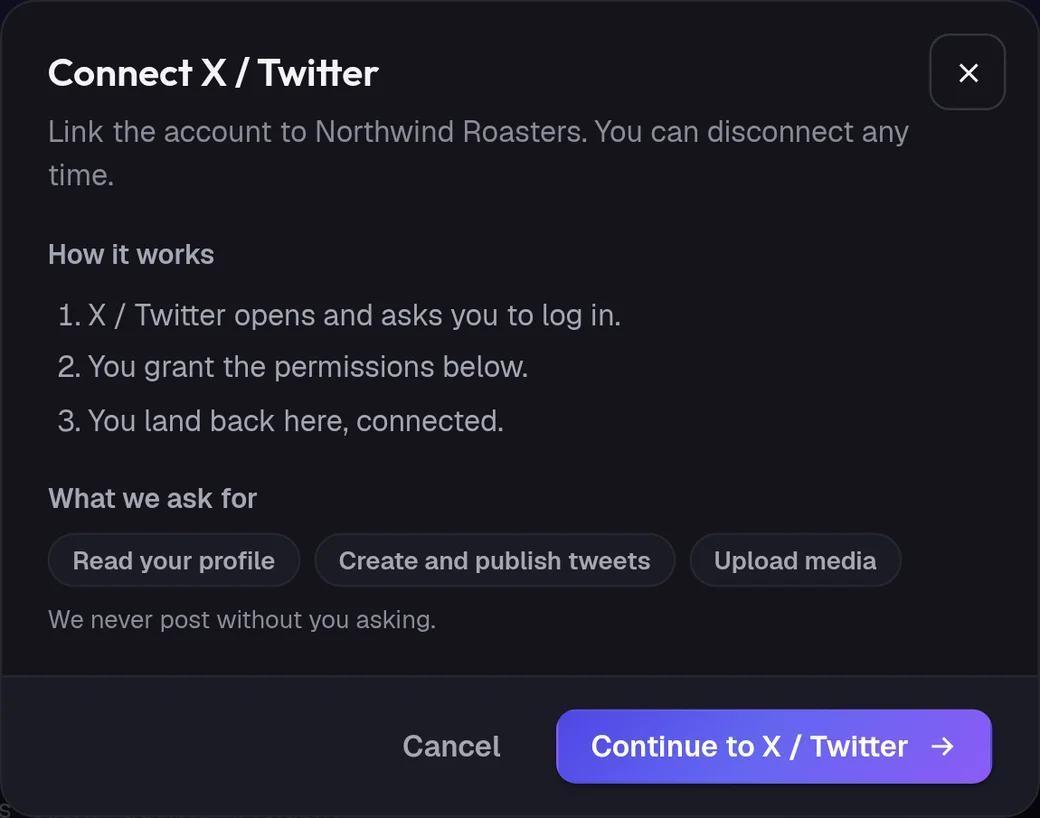
Connect
How do I connect X?
- 01
In ADpilot open Connections and choose X / Twitter.
- 02
Check what ADpilot asks for: to read your profile, to create and publish posts and to upload media. Then Continue to X / Twitter.
- 03
X opens. Log in with the account you want to post to and authorize the app.
- 04
You land back in Connections with X connected.
Owners and admins can connect; contributors cannot. ADpilot stores the access token encrypted and refreshes it when it expires, so you do not have to reconnect every few hours. Revoke access in your X settings at any time.
What goes out
What ADpilot posts to X.
Up to 280 characters. Hashtags are added only when they still fit; a post that would run over is shortened.
One image per post with the alt text ADpilot writes for it. Text-only posts work too.
An optional first reply goes out under the post, for a link or a follow-up.
Limits
What it does not do yet.
- Threads of several posts
- More than one image per post
- Polls
- Video made by ADpilot (it makes images, not video)
Questions
X questions.
Does ADpilot need my X password?
No. You sign in on X itself and authorize the app; ADpilot receives a token, not your password.
Does ADpilot report X engagement?
Yes. Likes, replies, reposts and quotes, impressions and bookmarks are read back every few hours and feed the weekly report.
What happens to hashtags on a long post?
They are left out. X allows 280 characters, and ADpilot keeps the words over the hashtags when both do not fit.