

Integration · TikTok
Schedule TikTok photo posts with AI captions you approve
ADpilot makes a vertical image for each idea, writes the TikTok title and description in your brand's voice, holds the post for your approval and publishes it as a public photo post. You connect by signing in with TikTok. TikTok reviews each post after it arrives, so ADpilot checks it went live, and likes, comments, shares and views are read back into your reports.
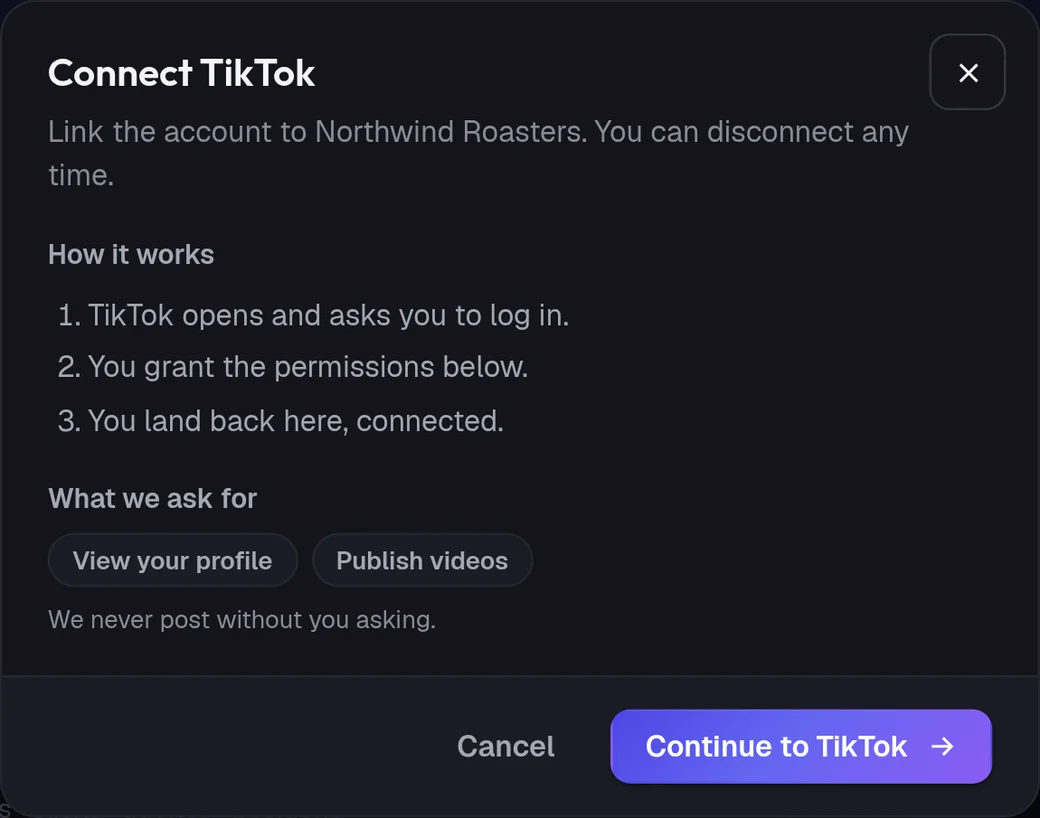
Connect
How do I connect TikTok?
- 01
In ADpilot open Connections and choose TikTok.
- 02
Check what ADpilot asks for: to view your profile and to publish. Then Continue to TikTok.
- 03
TikTok opens. Log in and allow access.
- 04
You land back in Connections with TikTok connected.
Owners and admins can connect; contributors cannot. TikTok access lasts a day at a time, so ADpilot refreshes it for you and stores it encrypted. Revoke access in your TikTok settings at any time.
What goes out
What ADpilot posts to TikTok.
One image in 9:16, posted publicly. Every TikTok post needs an image or a video; text alone cannot be posted.
A short title of up to 100 characters, taken from the post's hook, and the full caption as the description, up to 2,200 characters.
TikTok can still reject a post after accepting it, so ADpilot checks its status about 90 seconds later and marks it failed if TikTok turned it down.
Limits
What it does not do yet.
- Video made by ADpilot (it makes images, not video)
- Several photos in one post
- Private or friends-only posts
- Adding music or effects
Questions
TikTok questions.
Does ADpilot make TikTok videos?
No. ADpilot makes images, so it publishes TikTok photo posts. A 9:16 image with a strong first line in the title works well as a photo post.
Who can see the posts?
Everyone. ADpilot publishes TikTok posts publicly.
Does ADpilot report TikTok engagement?
Yes. Likes, comments, shares and views are read back every few hours and feed the weekly report.